
How to connect a capacitive water level gauge to a data logger?
Leave a message

Hey there! I'm a supplier of Capacitive Water Level Gauges, and I get a lot of questions about how to connect these nifty devices to a data logger. It's a process that might seem a bit tricky at first, but once you understand the steps, it's actually pretty straightforward. So, let's dive right in and explore how you can make this connection successfully.
What is a Capacitive Water Level Gauge?
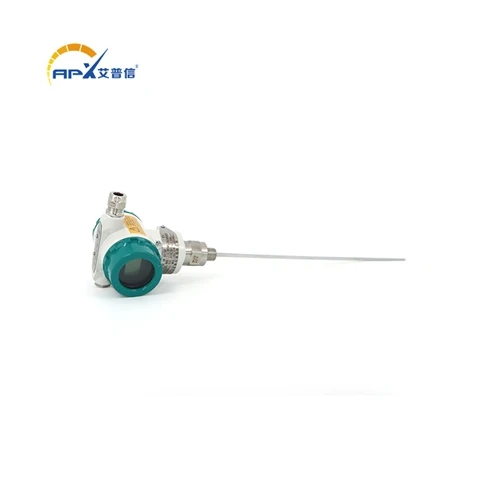
Before we get into the connection process, let's quickly go over what a capacitive water level gauge is. A capacitive water level gauge is a device that measures the level of water in a tank or reservoir. It works based on the principle of capacitance, which changes as the level of the water around the probe varies. These gauges are highly accurate, reliable, and can work in a variety of environments.
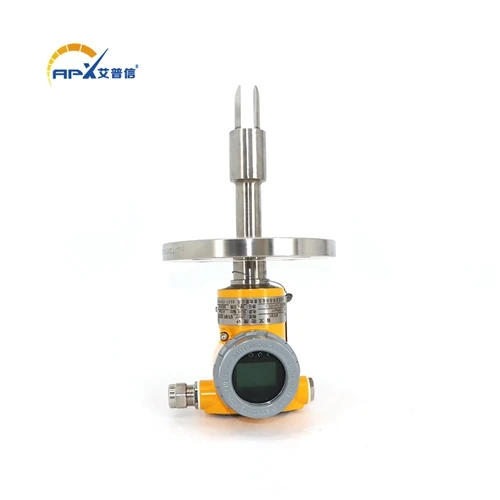
We offer a great range of products, like the Industrial Capacitive anti - corrosion liquid level transmitter. This one is designed to withstand harsh industrial conditions and is resistant to corrosion, making it perfect for long - term use in tough environments.
Why Connect to a Data Logger?
Connecting your capacitive water level gauge to a data logger is a smart move. A data logger is a device that records data over time. By connecting the water level gauge to a data logger, you can continuously monitor the water level in your tank or reservoir. This data can be used for various purposes, such as predicting when the tank needs to be refilled, detecting leaks, or simply keeping track of water usage.
Tools You'll Need
Before you start the connection process, gather the following tools:
- Capacitive Water Level Gauge: Make sure you have a Capacitive Level Gauge that's suitable for your application.
- Data Logger: Choose a data logger that has the appropriate input channels and can handle the type of signal output by your water level gauge.
- Wiring: You'll need the right type of wires to connect the gauge to the data logger. The specifications of the wires depend on the distance between the gauge and the logger and the electrical characteristics of the system.
- Screwdriver and Other Hand Tools: These will come in handy for making connections and securing the components in place.
Step - by - Step Connection Process
1. Prepare the Capacitive Water Level Gauge
First, take a look at your capacitive water level gauge. It should have some output wires or terminals. Usually, there are positive and negative wires for power supply and one or more wires for the signal output. Make sure the gauge is in good working condition and that there are no visible damages to the wires or the probe.
2. Install the Water Level Gauge
Install the capacitive water level gauge in the tank or reservoir where you want to measure the water level. Make sure it is installed at the correct height and position. The probe should be fully submerged in the water for accurate readings. Follow the manufacturer's instructions for the installation process.
3. Prepare the Data Logger
Next, get your data logger ready. Power it on if it's a battery - powered device or connect it to a power source. Check the input channels of the data logger. You need to know which channels are available for connecting the water level gauge.
4. Connect the Wires
Now, it's time to connect the wires from the capacitive water level gauge to the data logger.
- Power Connection: Connect the positive and negative power wires from the gauge to the appropriate power input terminals on the data logger. Make sure the voltage ratings of the gauge and the data logger match.
- Signal Connection: Connect the signal wire from the gauge to the corresponding input channel on the data logger. Some data loggers may require you to configure the input channel settings to match the signal type (e.g., voltage or current) output by the gauge.
5. Secure the Connections
Once you've made the connections, use a screwdriver or other appropriate tools to secure the wires in place. Make sure the connections are tight and there are no loose wires that could cause a short - circuit or inaccurate readings.
6. Test the Connection
After the connections are made and secured, it's time to test the system. Fill the tank with water and check if the data logger is receiving the water level readings from the gauge. You can also use a multimeter to check the voltage or current output at the data logger input to ensure that the signal is within the expected range.
Troubleshooting
If you encounter any problems during the connection process or while testing the system, here are some common issues and solutions:
- No Signal: Check the power connections to make sure the gauge is getting power. Also, check the signal wire connections and make sure they are properly connected to the data logger.
- Inaccurate Readings: This could be due to the gauge being installed incorrectly or the data logger settings not being configured properly. Check the installation of the gauge and re - configure the input channel settings on the data logger.
- Interference: If there is electrical interference in the environment, it can affect the readings. Try to move the data logger and the gauge away from sources of interference, such as motors or high - voltage cables.
Considerations for Different Environments
The connection process might need some adjustments depending on the environment where the system is installed. For example, in a harsh industrial environment, you might need to use Level switch capacitance gauges that are more robust and resistant to corrosion. You may also need to use shielded wires to protect the signal from interference.
In outdoor environments, you need to make sure that the connections are protected from moisture and other environmental factors. You can use waterproof connectors and enclosures to keep the components safe.
Conclusion
Connecting a capacitive water level gauge to a data logger is a great way to keep track of water levels and ensure the efficient operation of your water storage system. By following the steps outlined in this blog, you should be able to make the connection successfully.
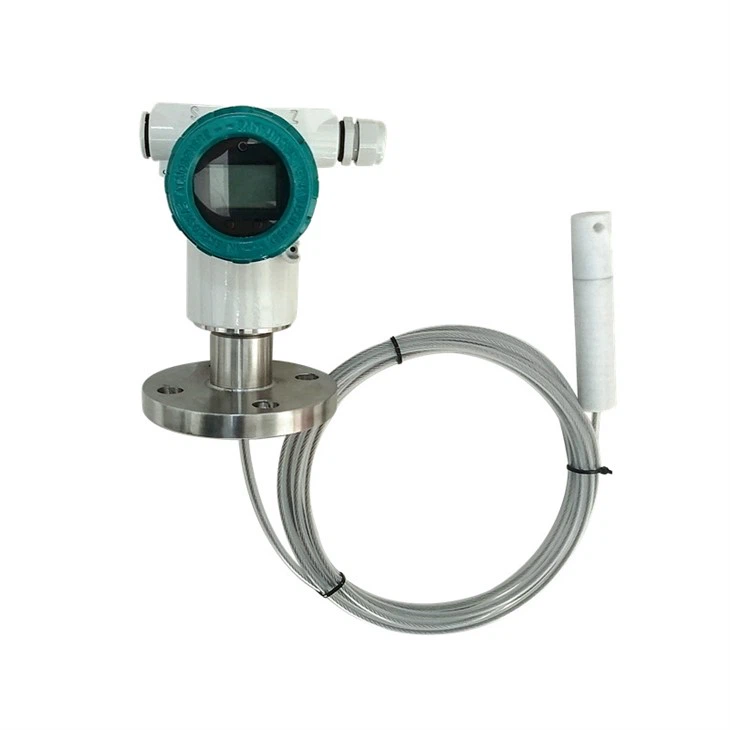

If you're interested in purchasing a capacitive water level gauge or have any questions about the connection process, feel free to reach out. We're here to help you find the right solution for your needs and get your system up and running smoothly.
References
- Manufacturer's manuals for capacitive water level gauges and data loggers.
- Industry standards for electrical connections and instrumentation.