How to troubleshoot a 26G Radar Level Meter when it shows incorrect readings?
Leave a message

Hey there! As a supplier of 26G Radar Level Meters, I've seen my fair share of issues with these nifty devices showing incorrect readings. It can be a real headache, but don't worry, I'm here to walk you through how to troubleshoot those problems.
First off, let's understand what a 26G Radar Level Meter is. It's a high - frequency radar device used to measure the level of liquids or solids in tanks, silos, and other containers. The 26GHz frequency allows for a narrow beam angle, which is great for accurate measurements, especially in complex environments.
Check the Installation
The first thing you should do when you notice incorrect readings is to check the installation. A poorly installed radar level meter can cause all sorts of problems.
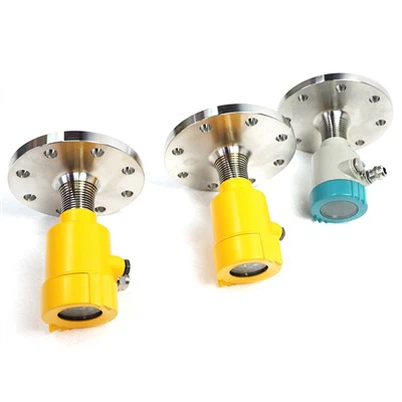
- Mounting Position: Make sure the meter is mounted in the correct position. It should be perpendicular to the surface of the material being measured. If it's tilted, the radar beam might bounce off at an angle, leading to inaccurate readings. For example, if you're using a DN100PN16 flange mounted radar level transmitter, ensure that the flange is properly aligned and tightened.
- Interference: Look for any objects that might be interfering with the radar beam. Obstructions like pipes, ladders, or agitators inside the tank can cause false echoes. These false echoes are then interpreted as the level of the material, resulting in incorrect readings. You may need to re - position the meter or remove the interfering objects.
Calibration
Calibration is crucial for accurate readings. If the meter is not calibrated correctly, it will never give you the right results.
- Initial Calibration: When you first install the 26G Radar Level Meter, it needs to be calibrated according to the specific application. This involves setting parameters such as the empty and full levels of the tank. Most modern meters come with user - friendly calibration procedures. You can usually use a handheld programming device or a software interface to perform the calibration.
- Regular Checks: Over time, the calibration can drift due to factors like temperature changes, material build - up, or electrical interference. It's a good idea to perform regular calibration checks. If you find that the readings are off, recalibrate the meter following the manufacturer's instructions.
Environmental Factors
The environment in which the radar level meter operates can have a significant impact on its performance.
- Temperature: Extreme temperatures can affect the electronic components of the meter and the properties of the material being measured. High temperatures can cause the radar beam to refract differently, while low temperatures can slow down the signal propagation. Some meters are designed to operate within a specific temperature range. If the temperature is outside this range, you may need to install additional insulation or a temperature - compensating device.
- Humidity and Dust: High humidity can cause condensation on the antenna of the radar level meter, which can interfere with the radar signal. Dust and other particles in the air can also absorb or scatter the radar beam. In such environments, you might need to use a protective cover or a purge system to keep the antenna clean and dry.
Signal Strength
A weak or unstable signal can lead to incorrect readings.
- Antenna Condition: Check the antenna of the radar level meter. If it's damaged or dirty, it can reduce the signal strength. Clean the antenna regularly to remove any dirt, dust, or material build - up. You can use a soft, dry cloth to clean the antenna surface. If the antenna is damaged, it may need to be replaced.
- Power Supply: Ensure that the meter is getting a stable power supply. A fluctuating power supply can cause the radar signal to be unstable. Check the power cables for any signs of damage or loose connections. You may also want to use a voltage stabilizer if the power supply in your area is prone to fluctuations.
Software and Firmware
The software and firmware of the radar level meter play a vital role in its operation.
- Updates: Manufacturers often release software and firmware updates to improve the performance of their products and fix known bugs. Check if there are any available updates for your 26G Radar Level Meter. Updating the software can sometimes solve issues related to incorrect readings.
- Configuration Errors: Double - check the configuration settings of the meter. A simple configuration error, such as setting the wrong tank shape or material properties, can lead to inaccurate readings. Make sure all the settings are correct according to your application.
Comparison with Other Measurement Methods
If you're still having trouble getting accurate readings, you can compare the results of the radar level meter with other measurement methods.
- Manual Measurements: Take manual measurements of the level of the material using a dipstick or a tape measure. Compare these manual measurements with the readings from the radar level meter. If there's a significant difference, it indicates that there's a problem with the radar level meter that needs to be addressed.
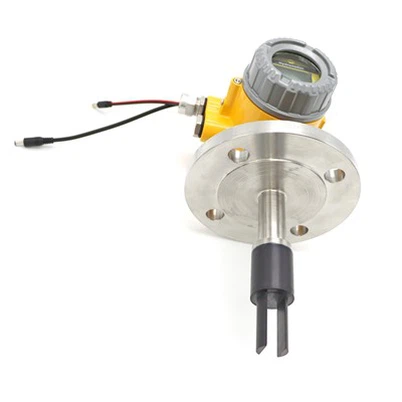
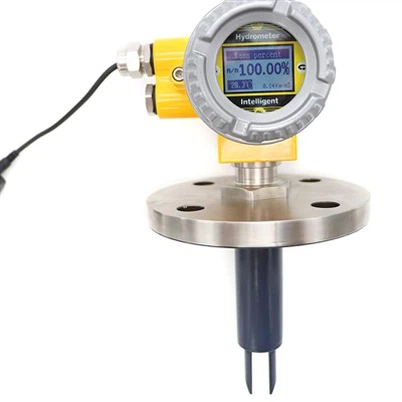
- Other Sensors: You can also use other types of level sensors, such as ultrasonic sensors or float switches, to cross - check the readings. For example, a Radar level switch can be used as a secondary verification device.
Communication and Interface
If the radar level meter is connected to a control system or a monitoring device, communication issues can cause incorrect readings.
- Wiring: Check the wiring between the meter and the control system. Loose connections, damaged wires, or incorrect wiring can disrupt the communication. Make sure all the wires are properly connected and insulated.
- Protocol Compatibility: Ensure that the communication protocol used by the radar level meter is compatible with the control system. Some meters support multiple communication protocols, such as Modbus, Profibus, or HART. If there's a compatibility issue, you may need to change the protocol settings or use a protocol converter.
Material Properties
The properties of the material being measured can also affect the performance of the radar level meter.


- Dielectric Constant: The dielectric constant of the material determines how well the radar signal can penetrate and reflect off the material. Different materials have different dielectric constants. If the meter is not configured correctly for the dielectric constant of the material, it can lead to inaccurate readings. Make sure to set the correct dielectric constant value during calibration.
- Surface Characteristics: The surface of the material can also impact the radar signal. A rough or uneven surface can scatter the radar beam, resulting in a weaker signal and less accurate readings. In some cases, you may need to use a special antenna or adjust the meter settings to account for the surface characteristics.
In conclusion, troubleshooting a 26G Radar Level Meter showing incorrect readings involves a systematic approach. By checking the installation, calibration, environmental factors, signal strength, software, and other aspects, you can usually identify and fix the problem.
If you're still having trouble or if you're looking to purchase a new 26G Radar Level Meter for your application, we're here to help. We have a wide range of high - quality radar level meters suitable for various industries, including those for Hydrology Instruments. Contact us for more information and let's discuss how we can meet your specific needs.
References
- Radar Level Meter Installation and Operation Manuals
- Technical Papers on Radar Level Measurement Technology
- Industry Standards for Level Measurement Devices