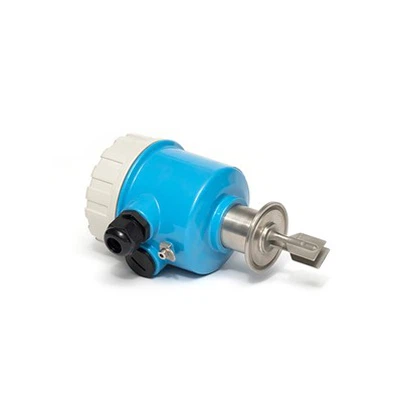

How to adjust the measurement parameters of a Radar Level Meter?
Leave a message

Hey there! As a supplier of Radar Level Meters, I often get asked about how to adjust the measurement parameters of these nifty devices. In this blog post, I'm gonna break it down for you in a way that's easy to understand, so you can get the most accurate readings from your Radar Level Meter.
First off, let's talk about why adjusting the measurement parameters is so important. A Radar Level Meter works by sending out radar signals and measuring the time it takes for those signals to bounce back from the surface of the material you're measuring. By adjusting the parameters correctly, you can ensure that the meter is accurately detecting the level of the material, whether it's a liquid in a tank or a solid in a silo.


Understanding the Basic Parameters
The first step in adjusting the measurement parameters is to understand what they are. There are a few key parameters that you'll need to pay attention to:
- Range: This is the maximum distance that the Radar Level Meter can measure. You'll need to set the range based on the height of the tank or silo you're using the meter in. If the range is set too low, the meter won't be able to measure the full height of the material. If it's set too high, you might get inaccurate readings due to interference from other objects in the area.
- Frequency: Radar Level Meters can operate at different frequencies, and the frequency you choose can affect the accuracy of the measurement. Higher frequencies generally provide better accuracy, but they may also have a shorter range. Lower frequencies, on the other hand, can penetrate through some materials better but may not be as accurate.
- Beam Angle: The beam angle determines the width of the radar beam that the meter sends out. A narrower beam angle can provide more accurate readings, especially in applications where there are obstacles or other objects in the tank. However, a wider beam angle may be more suitable for larger tanks or when you need to cover a larger area.
Step-by-Step Guide to Adjusting the Parameters
Now that you have a basic understanding of the parameters, let's go through the steps to adjust them:
- Read the Manual: Before you start making any adjustments, it's important to read the manual that came with your Radar Level Meter. The manual will provide specific instructions on how to access the parameter settings and what values are recommended for different applications.
- Power On the Meter: Make sure the Radar Level Meter is powered on and connected to a power source. Wait for the meter to initialize and display the main menu.
- Access the Parameter Settings: Use the buttons on the meter or the software interface (if available) to access the parameter settings menu. This menu will typically include options for adjusting the range, frequency, beam angle, and other parameters.
- Set the Range: Based on the height of the tank or silo, set the range parameter to the appropriate value. You may need to measure the height of the tank and enter that value into the meter. Make sure to leave some extra room in the range to account for any fluctuations in the level of the material.
- Select the Frequency: Depending on the type of material you're measuring and the accuracy you need, select the appropriate frequency. If you're not sure which frequency to choose, consult the manual or contact the manufacturer for advice.
- Adjust the Beam Angle: If necessary, adjust the beam angle to suit your application. A narrower beam angle may be more suitable for tanks with obstacles or when you need to measure the level of a small area. A wider beam angle may be better for larger tanks or when you need to cover a larger area.
- Calibrate the Meter: Once you've set the parameters, it's important to calibrate the meter to ensure accurate readings. Calibration involves measuring the level of the material in the tank using a known reference point and adjusting the meter's settings to match that measurement. The calibration process may vary depending on the type of meter you have, so make sure to follow the instructions in the manual.
- Test the Meter: After calibrating the meter, test it by measuring the level of the material in the tank. Compare the readings from the meter to the actual level of the material to make sure they are accurate. If the readings are off, you may need to make further adjustments to the parameters or recalibrate the meter.
Troubleshooting Common Issues
Even after adjusting the parameters and calibrating the meter, you may still encounter some issues with the readings. Here are some common issues and how to troubleshoot them:
- Inaccurate Readings: If the readings from the meter are inaccurate, check the range, frequency, and beam angle settings to make sure they are correct. You may also need to recalibrate the meter or check for any interference from other objects in the tank.
- No Signal: If the meter is not receiving a signal, check the power supply to make sure it is working properly. You may also need to check the antenna to make sure it is clean and not damaged. If the problem persists, contact the manufacturer for further assistance.
- Interference: Interference from other objects in the tank or from other radar devices can cause inaccurate readings. To reduce interference, try adjusting the beam angle or changing the frequency of the meter. You may also need to install shielding or other measures to block the interference.
Conclusion
Adjusting the measurement parameters of a Radar Level Meter is an important step in ensuring accurate and reliable readings. By understanding the basic parameters, following the step-by-step guide, and troubleshooting any issues that may arise, you can get the most out of your Radar Level Meter and improve the efficiency of your operations.
If you're in the market for a Radar Level Meter or need help adjusting the parameters of your existing meter, don't hesitate to reach out. We're here to help you find the right solution for your application. You can also check out our Radar Level Transmitters for more information on our products.
Thanks for reading, and I hope this blog post has been helpful to you!
References
- Manufacturer's Manual for Radar Level Meter
- Industry Standards and Guidelines for Radar Level Measurement